Hailuo AI for stylized and cinematic video generation
Turn text or images into professional-quality AI videos with Hailuo AI by MiniMax, fully integrated into Artlist’s all-in-one platform. Bring ideas to life and experiment faster with tools built for large-scale video production. Trust by millions of creators worldwide.
What is Hailuo AI?
Hailuo AI is a video generator model by MiniMax that creates videos from prompts or images with smooth motion and consistent visuals. Multiple Hailuo variants are available in Artlist’s AI Toolkit.

Hailuo AI’s video generation capabilities
Hailuo AI delivers realistic movement across both text-to-video and image-to-video workflows. From Artlist, you can use it to generate and refine clips, ready to use in your projects.
Text-to-video generation
Turn simple prompts into dynamic videos. Enter scene descriptions, moods, and camera directions, and generate video clips with coherent motion and composition.
Image-to-video animation
Animate any image, photo, or illustration. Add natural motion, realistic camera movement, and expressive detail to the elements within the frame.
High-resolution output
Generate high-quality videos in up to 1080p resolution. Create sharp visuals that hold up across a wide range of applications, including social media and commercial use.
Built for short-form storytelling
Create short, highly engaging 5–10 second videos. Use these clips for punchy narratives, compelling visual hooks, rapid iteration, and high-volume production workflows.
Smooth motion and temporal consistency
Maintain stable and consistent visuals across all frames with realistic physics and fluid transitions, even in complex scenes.
Fast and Pro variants for flexibility
Switch between models for different purposes. Use Fast for quick experimentation and iteration, and Pro and Standard for higher-quality final outputs.
What can you create with Hailuo AI video models?
Hailuo AI fits into a variety of production workflows, from stylized animation to marketing and social content.
Animation and anime content
Design visually consistent anime and illustrated clips with fluid movement and refined detail.

Social media video content
Create short-form, scroll-stopping videos tailored for TikTok, Instagram Reels, and YouTube Shorts.

Character-driven scenes
Capture emotional character moments, subtle gestures, and narrative-focused visuals in a single shot.

Marketing and advertising videos
Produce cinematic clips for ads, product promos, and branded campaigns, ready to scale across your content pipeline.


Hailuo AI models available on Artlist
Choose the right balance of speed and quality using Hailuo AI models in Artlist’s AI video creation platform. Use fast generation models for fast iteration or high-fidelity ones for polished results.
Hailuo video models

Hailuo 2.3 Fast Pro
For both speed and high-quality output, Hailuo 2.3 Fast Pro is the go-to option. This model variant delivers 1080p video generation with strong prompt accuracy and smooth, consistent motion. It’s designed for fast-paced workflows so you can iterate quickly without sacrificing visual fidelity. A strong choice for ads, social content, and professional video production.


How to use Hailuo AI in Artlist
Create AI videos seamlessly using Hailuo directly inside the Artlist AI Toolkit, designed for speed and full creative control.
Go to the AI Toolkit and toggle to the Video Generator from the left-hand menu.
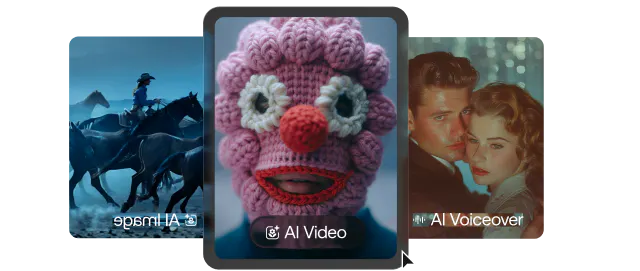
Open the model menu within the prompt box and select one of the Hailuo variants (Fast, Standard, or Pro) based on your speed and quality needs.

Use the prompt box at the bottom center of the screen to describe your scene, or upload an image by clicking the “Start Frame” icon.

Adjust your settings below the prompt box, then click “Generate” in the bottom-right corner. Once ready, download your video for immediate use.


Tips for using Hailuo AI
Improve your results with the following tips. Refine prompts and choose the right model for each stage of your workflow.
Who should use Hailuo AI?
Hailuo AI is built for creators, teams, and studios who want to produce high-quality video content quickly — whether you’re creating for social, marketing, or large-scale production workflows.
Marketing teams
Develop high-impact video ads and branded content at scale. Create campaign-ready video assets, refine them instantly, and push your creative output further and faster.

Content creators
Master the art of short-form video. Share highly engaging content on all social platforms with cutting-edge workflows used by industry leaders.

Animators and digital artists
Take full control of your creative output. Bring your detailed visuals and characters to life with perfectly controlled and consistent motion.


Frequently asked questions
Hailuo AI is a video generation model by MiniMax that creates short, high-quality videos from text-to-video and image-to-video AI. Known for its stylized visuals and expressive outputs, multiple Hailuo model variants are available on Artlist for different creative workflows.
Hailuo uses generative AI to transform text descriptions or images into short video clips with realistic motion and coherent visuals. In Artlist, users can open the AI Toolkit, select a Hailuo model, add a prompt or image, and generate a video in just a few steps.
Hailuo works best for short-form video projects across different creative use cases, including:
- Social media videos: visual experiments and trend-based clips
- Marketing and advertising assets: ad variations, product promos, branded content
- Character-driven scenes: expressive moments, narrative visuals
- Stylized animation: anime-inspired clips and illustrated sequences
Hailuo AI models vary by resolution, duration, and performance, allowing you to tailor output quality and speed to your project. Artlist’s AI Toolkit includes:
- Hailuo 2.3: 768p, 6–10 second clips — balanced quality and performance for everyday video creation
- Hailuo 2.3 Pro: 1080p, 5-second clips — higher visual fidelity
- Hailuo 2.3 Fast: 768p, 6–10 second clips — optimized for rapid generation
- Hailuo 2.3 Fast Pro: 1080p, 5-second clips — fast performance with enhanced quality
Generally, Fast models prioritize speed for iteration, Standard balances quality and performance, and Pro provides maximum visual fidelity and prompt accuracy.
Other models available on Artlist offer unique strengths compared to Hailuo AI. For cinematic quality, try Kling 2.6 Pro or Kling 2.5 Turbo Pro. For fast iteration, use Veo 3.1 Fast or Grok Imagine. For flexible format and longer clips, Wan 2.6 or Sora 2 Pro are strong options. Kling Motion Control, Kling O3, and Seedance 2.0 offer advanced features such as motion transfer and video editing.
Hailuo AI is developed by MiniMax, an AI company focused on generative media technologies. MiniMax builds models across video, image, AI voice, and text, supporting use cases like video generation, character animation, and multimodal creation. Its video models are currently available on Artlist.
Generation time depends on the model variants you choose. Fast versions are optimized for speed and can produce results more quickly, while Standard and Pro versions take longer but offer higher output quality. As a general rule, use faster models for experimentation and switch to higher-quality models when finalizing videos.
Hailuo generates video clips of up to 10 seconds in 768p or 1080p, depending on the model. Standard and Fast models support longer clips (up to 10 seconds) at 768p, while Pro and Fast Pro models generate in 1080p resolution with durations of around 5–10 seconds for higher-quality output.
Still have questions? We're here to help.