Grok Imagine: AI image and video generation for creators (opens in new tab)

Generate images instantly using Grok Imagine in Artlist’s AI Toolkit. Turn text prompts or reference images into high-quality visuals in seconds with a fast, intuitive workflow.

Create images with Grok Imagine in Artlist’s AI Toolkit using text prompts or reference images for fast, high-quality results.
Open the AI Image Generator in Artlist’s AI Toolkit and select Grok Imagine to start creating images.

Upload up to three reference images or describe your idea using natural language to guide the generation.

Create up to four image variations per prompt, then download your results or refine with additional iterations.

Grok Imagine is built for creators who need fast, flexible image generation for diverse content needs.
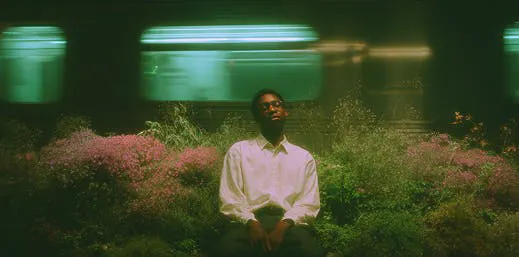
Generate social media graphics, promotional visuals, and branded content quickly with precise text rendering and creative control for digital campaigns.

Produce creative concepts, mood boards, and expressive artwork using text-to-image and image-to-image workflows for professional creative projects.

Create educational materials, illustrations, and visual storytelling assets with clear text rendering and rapid generation for presentations and courses.
Start generating images by entering your first prompt and exploring what Grok Imagine can create for your projects.

Grok Imagine combines speed, flexibility, and creative control to deliver an AI image generator that’s ideal for many creative workflows.
Create images from text descriptions alone or upload up to three reference images to guide style, composition, and creative direction.
Produce graphics with clear typography for posters, social content, and branded materials. Grok Imagine accurately renders legible text within generated images.
Get up to four image generations per prompt with rapid processing times, allowing creators to explore options and iterate quickly.
Generate images in square, portrait, landscape, and widescreen, to match platform requirements and creative specifications.
Explore guides, tutorials, and resources to help you get the most out of Grok Imagine and AI image generation tools.
Grok Imagine is an AI model developed by xAI that lets creators generate images using both text-to-image and image-to-image workflows. Grok Imagine is available in Artlist’s AI Toolkit, alongside a wide range of other image generation models.
To create images with Grok Imagine AI image generator, open Artlist’s AI Toolkit and toggle to the AI Image Generator on the left side of the prompt box. Select Grok Imagine from the models menu at the bottom, then either enter a text prompt or upload an image to get started. Adjust settings like aspect ratio and number of generations, and use the Auto-prompt button to expand and refine your prompt. When you’re ready, click the generate button in the bottom-right corner to create your image. View additional instructions on the Grok Imagine Help Center article.
Yes. You can try Grok Imagine in Artlist’s AI Toolkit as part of the free trial. New users receive a limited number of complimentary image generations to explore how the model works and test it for creative projects. No payment details are required to start. Once you use your free generations, you can continue creating by upgrading to a paid plan. For more details, see Artlist’s Free Trial Explained in the Help Center.
Yes. Grok Imagine AI image generator includes a text-to-image workflow, allowing you to generate images from text simply by entering a prompt in Artlist’s AI Toolkit.
Grok Imagine AI image generator is designed for creating static images, including social media graphics, promotional materials, concept art, illustrations, posters, and branded content. It excels at generating visuals with precise text rendering across multiple aspect ratios.
Yes. Grok Imagine generates both images and videos. You can create static images from text prompts or image uploads. Or, toggle to video generation in Artlist's AI Toolkit to create short-form videos with Grok Video, which includes native audio and multi-shot capabilities.
Grok Imagine excels at fast image generation with precise text rendering, making it particularly effective for creating graphics that require clear typography, expressive creative outputs, and flexible aspect ratios for various platforms and content types.
Grok Imagine AI image generator offers rapid generation speeds and precise text rendering with creative control. Each AI model in Artlist's toolkit has unique strengths — creators can experiment with different models to find the best fit for specific projects and creative needs.
Yes, Grok Imagine AI image generator supports image-to-image generation, allowing you to upload up to three reference images per prompt to guide style, composition, and creative direction for more refined and iterative results.
Grok Imagine AI image generator supports multiple aspect ratios including 1:1, 1:2, 2:1, 2:3, 3:2, 3:4, 4:3, 9:16, and 16:9 to accommodate various content formats and platform requirements.
Still have questions? We're here to help.

